The Best Laptop Cooling Pads for an Overheating Fix
As an Amazon Associate I earn from qualifying purchases.
Is your laptop sounding like a jet engine? Or worse, is it thermal throttling and slowing down your work just as you get into a groove? When your internal fans can’t keep up, a high-quality cooling pad is the first line of defense.
Here is a breakdown of the best laptop cooling pads of 2026 to keep your system stable and your hardware healthy.
1. Best Overall: Llano V12 Laptop Cooling Pad
If you want the absolute best performance and don’t mind a slightly larger footprint, the Llano V12 is currently the gold standard.
- How it works: It uses a high-speed industrial fan and a soft foam seal around the base of your laptop. This forces air directly into your intake vents rather than just blowing it at the plastic casing.
- The Result: Users report temperature drops of up to 15°C, making it powerful enough for the most demanding video editing or 3D rendering tasks.

2. Best for High-End Performance: IETS GT600 V2
The IETS GT600 is the successor to the legendary GT500. It is designed for those who need maximum airflow at all costs.
- Key Feature: It features a built-in magnetic dust filter, which is a game-changer if you’re working in environments that aren’t perfectly clean.
- Best For: Heavy gaming or long-form media processing where keeping the CPU and GPU under 80°C is critical for longevity.

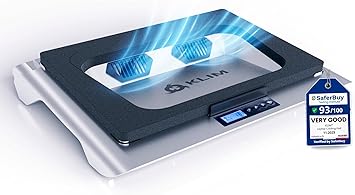
3. Best Value: Klim Everest
The Klim Everest hits the “sweet spot” between professional-grade cooling and a reasonable price point.
- Why it’s great: It offers a sealed chamber design similar to more expensive models but at a lower cost.
- Specs: It features a 4,400 RPM fan, which provides massive airflow for 14-inch to 17-inch laptops.
4. Best Budget Pick: Havit HV-F2056
If you’re looking for a simple, slim fix for a work laptop that runs a bit warm, the Havit HV-F2056 is a classic choice.
- Design: It uses three quiet fans and a slim profile that fits easily into a laptop bag.
- Trade-off: While it won’t give you the massive 10°C+ drops of a sealed-chamber model, it provides consistent airflow and lifts the laptop for better ergonomics.

Quick Comparison Table
| Model | Cooling Style | Best For | Noise Level |
| Llano V12 | Sealed Chamber | Maximum Performance | High |
| IETS GT600 | Sealed + Filtered | Heavy Workstations | High |
| Klim Everest | Sealed Chamber | Value / Students | Moderate |
| Havit HV-F2056 | Open Mesh | Office / Slim Laptops | Low |
Pro Tip for Essential Fixes:
Before buying a cooling pad, check where your laptop’s intake vents are located.
- Bottom Intakes: A cooling pad will work wonders.
- Side/Rear Intakes: A cooling pad will still help by cooling the chassis, but you should also consider a vacuum-style cooler (like the Klim Cool) that attaches directly to the exhaust vent to pull hot air out faster.
Is your laptop still running hot even with a stand? It might be time for a deep clean of the internal fans or a thermal paste refresh!
LEAVE A COMMENT